A lightweight, local-first requirement management and output tracking system. SQLite as the sole data source, AI agent handles all data operations, static HTML provides daily visualization.
Read about the design philosophy behind this project: What is an AI-Native Data System?
- Zero infrastructure: Single SQLite file, no server, no signup, no cloud
- Agent-native: Designed to be operated by AI agents (like opencode)—just talk to it
- Unified workflow: Manage requirements, schedules, deliveries, and cover outputs in one place
- Beautiful dashboards: Auto-generated HTML with calendar view, task tracking, and interactive ECharts statistics
- Data sovereignty: Everything stays on your machine
Talk to an agent for CRUD and scheduling; open the HTML dashboards yourself.
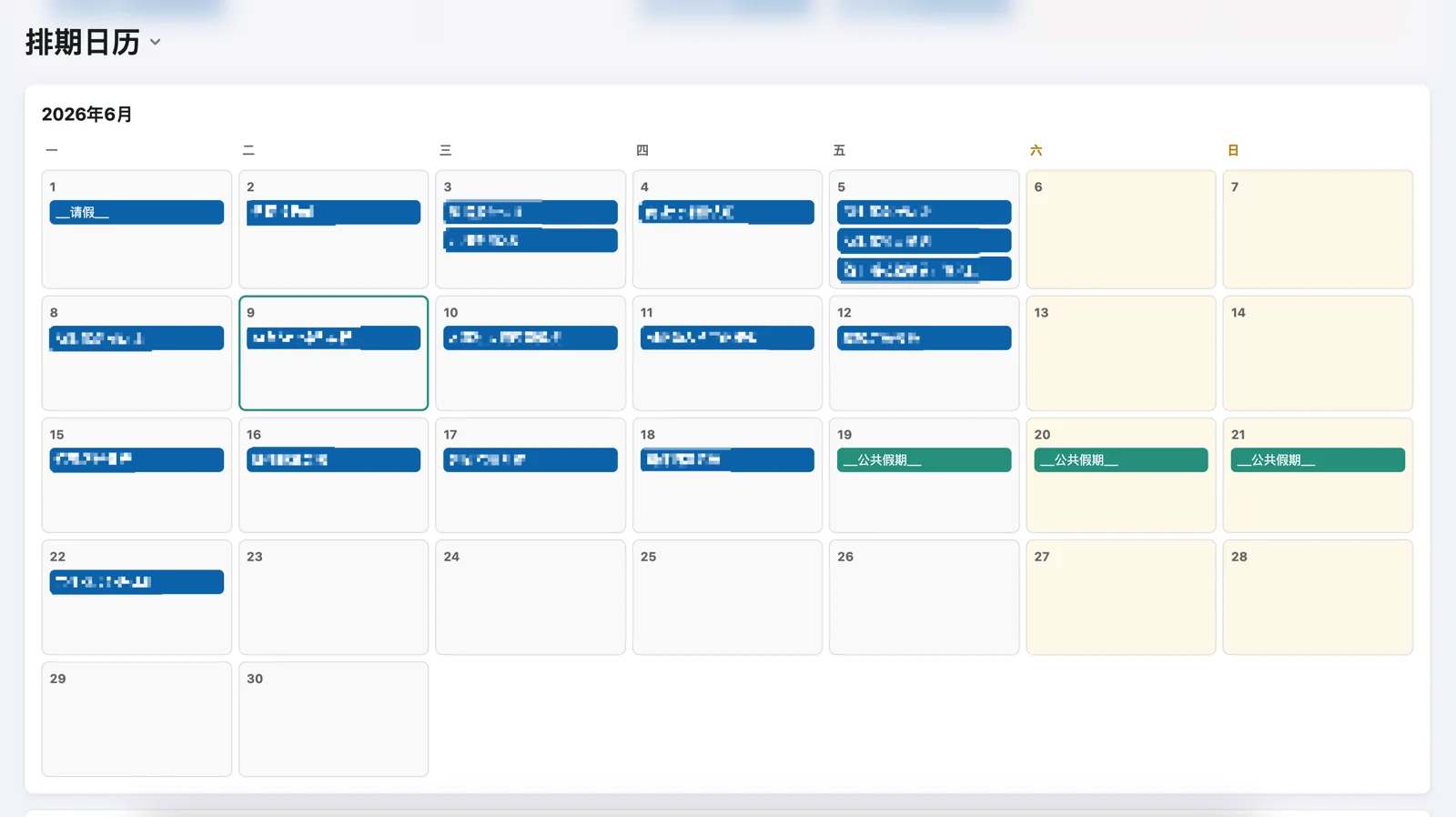
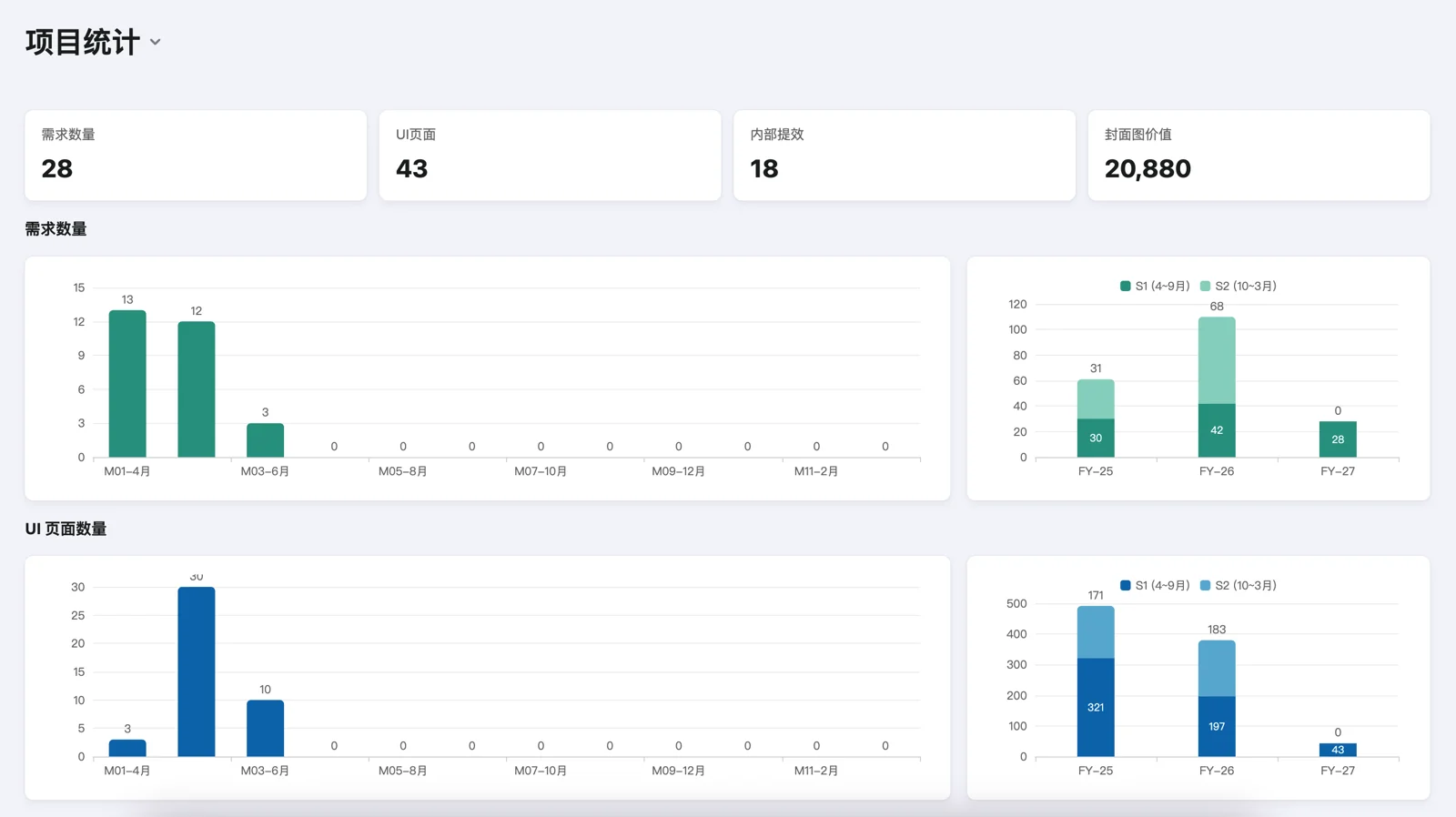
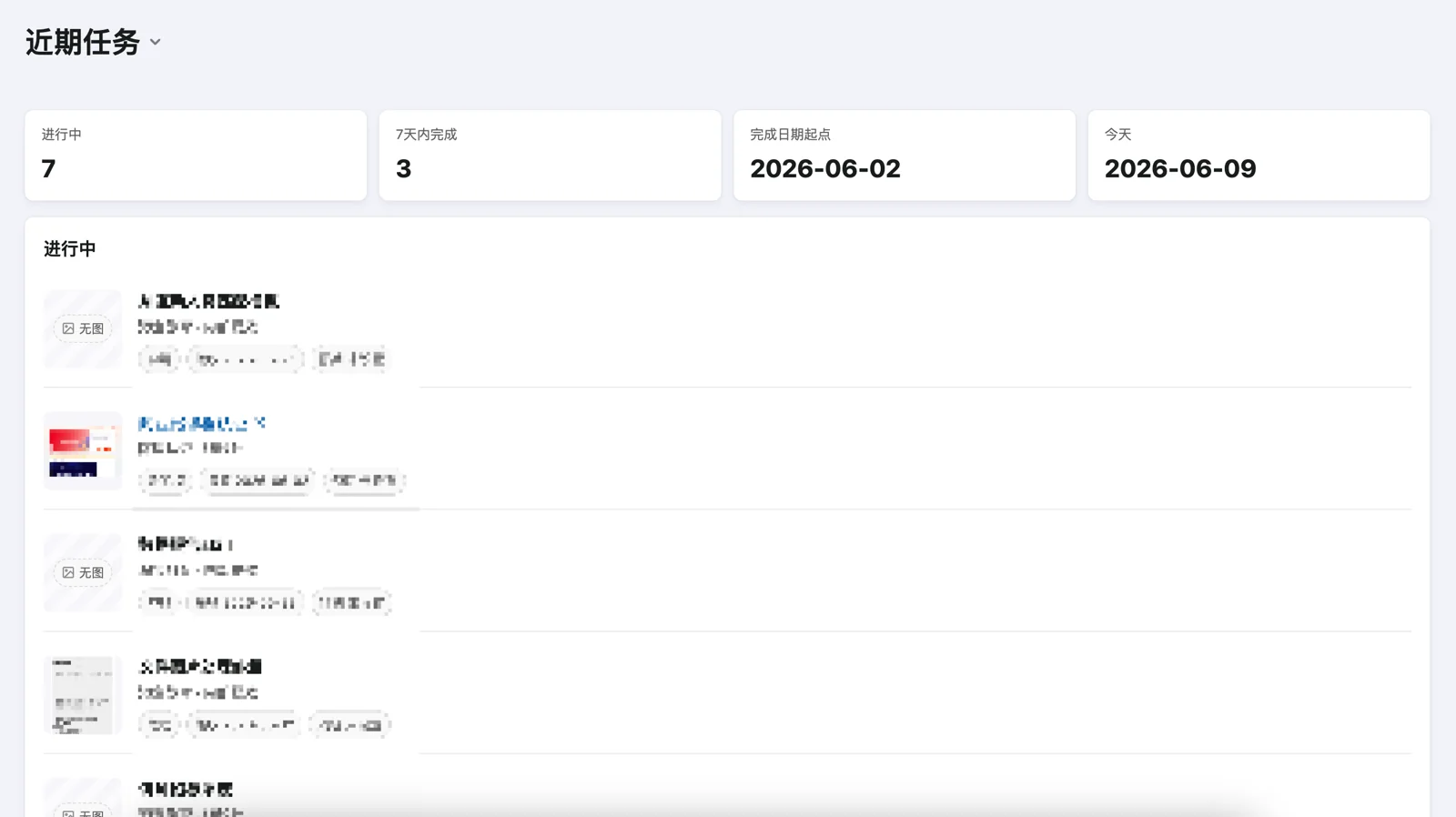
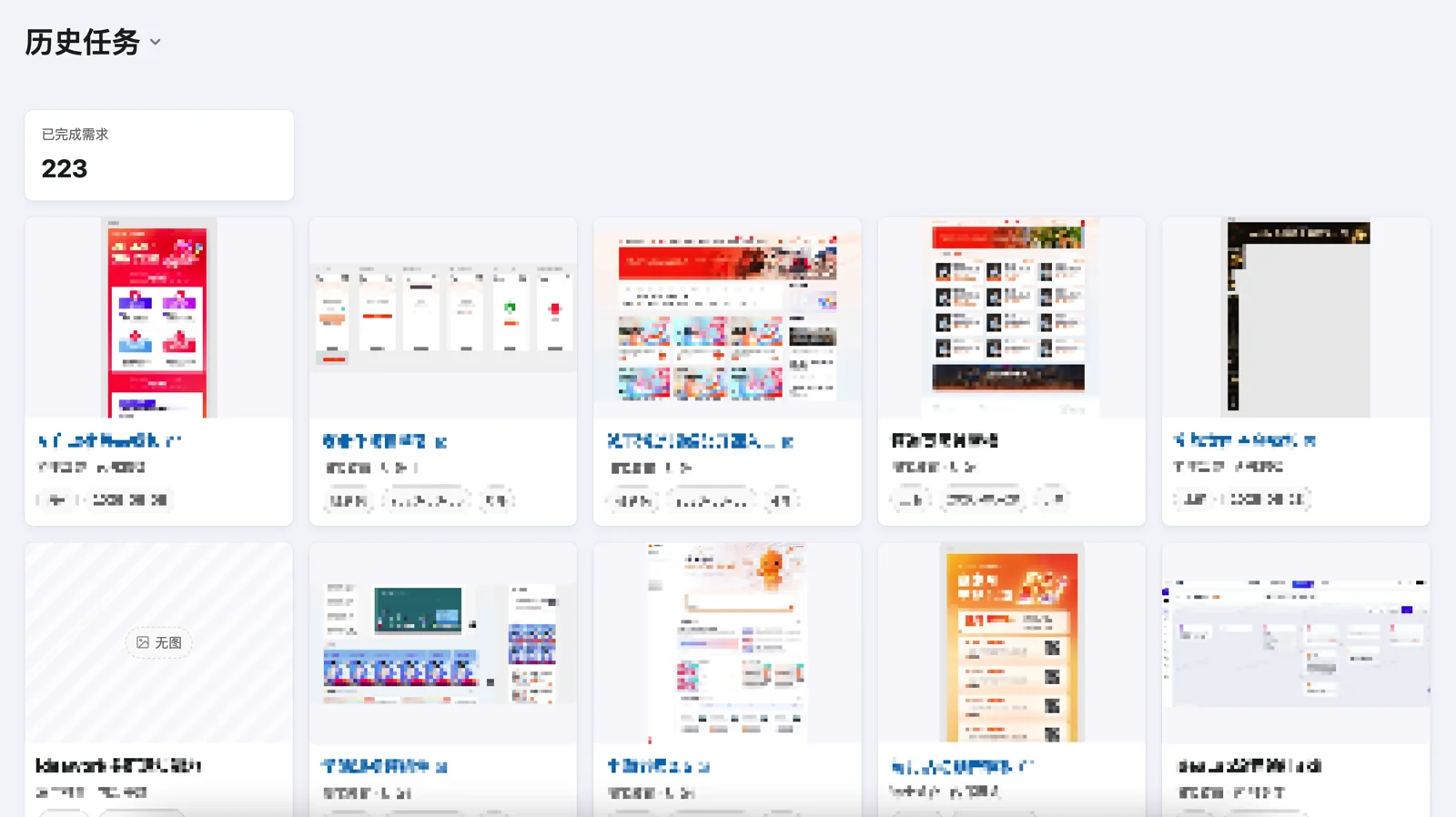
Four auto-generated HTML pages (under your data dir’s html/, or demo/html/ for the sample set):
Monthly schedule view with color-coded owners and holiday markers.
KPI metrics, monthly stats, top requesters, type breakdown, fiscal year comparisons (powered by ECharts).
In-progress tasks and recently completed items with thumbnails and status.
Full archive of completed requirements with screenshot card grid.
The dashboard is built around a specific set of requirement types (UI design, data analysis, course production, internal efficiency) and a fiscal year starting in April. If your workflow differs, ask the agent to adapt render_html.py, render_queries.py, render_components.py, and schema.sql—cover value formula, KPI metrics, chart labels, and type colors.
| Constant | Default | Purpose |
|---|---|---|
COVER_VALUE_MULTIPLIER |
20 | Cover image value multiplier (cover_count × multiplier) |
FY_START_MONTH |
4 | Fiscal year start month |
FY_END_MONTH |
3 | Fiscal year end month |
Defined in scripts/config.py. Confirm calendar dates yourself before schedule changes.
Created by Victor42 & Agent Vik
Stand up this local SQLite project-manager, wire the skill, then operate requirements/schedules/HTML via CLI or skill.
- Python 3
pip install Pillow- Write access to a data directory (default: repo
demo/)
- Clone and enter the repo; install Pillow.
- Sample data: run the commands below, then open
demo/html/dashboard.htmlto verify.
python3 scripts/init.py
python3 scripts/pm.py render-html- Real data: copy
.env.example→.env, setPM_DATA_DIR, re-run init/render. Read.envbefore every later operation. - Install skill: copy
skills/project-manager.mdand/orskills/SKILL.mdinto the agent skills directory; fix paths to this clone.
Entrypoint: python3 scripts/pm.py COMMAND ... (optional --db-path).
Commands:
doctor— DB / model consistencycompute-periods— recompute stat period datesrender-html— regenerate dashboard/calendar HTMLstats— local statsrequirement create/deliver/insert/thumbnail— requirement writesschedule add/adjust/move— schedule mutationsholiday ...— public holiday / personal leave
Also follow the installed skill for conversational CRUD. Before any schedule mutation, confirm “today” with a real clock/date command (skill red flag).
After data changes that should appear on dashboards: python3 scripts/pm.py render-html.
- Business meaning of projects/owners/types
- Viewing HTML in a browser
- Dashboard taxonomy customization requests
- Do not point
PM_DATA_DIRat the wrong path or overwrite productionpm.dbwithout confirmation - Do not invent schedule dates from chat memory
- Do not
cp pm.dbinto ad-hoc.baksnapshots.backup.sqlre-exports after everypm.pycommand; snapshot rotation rules are inskills/project-manager.md - Schema/ops:
notes.mdandskills/