Repository navigation

Replies: 19 comments 22 replies

|
Thank you for reaching out. Upgrading dnscrypt-proxy is a straightforward process. Here are the steps you'll need to follow:
Please let us know if you have any other questions or issues. |

|
hi, first thanks and in my above mentioned path: please indicate the exacted file/files i've to replace , your point 4) , i still pray you to be simple and clear cheers |
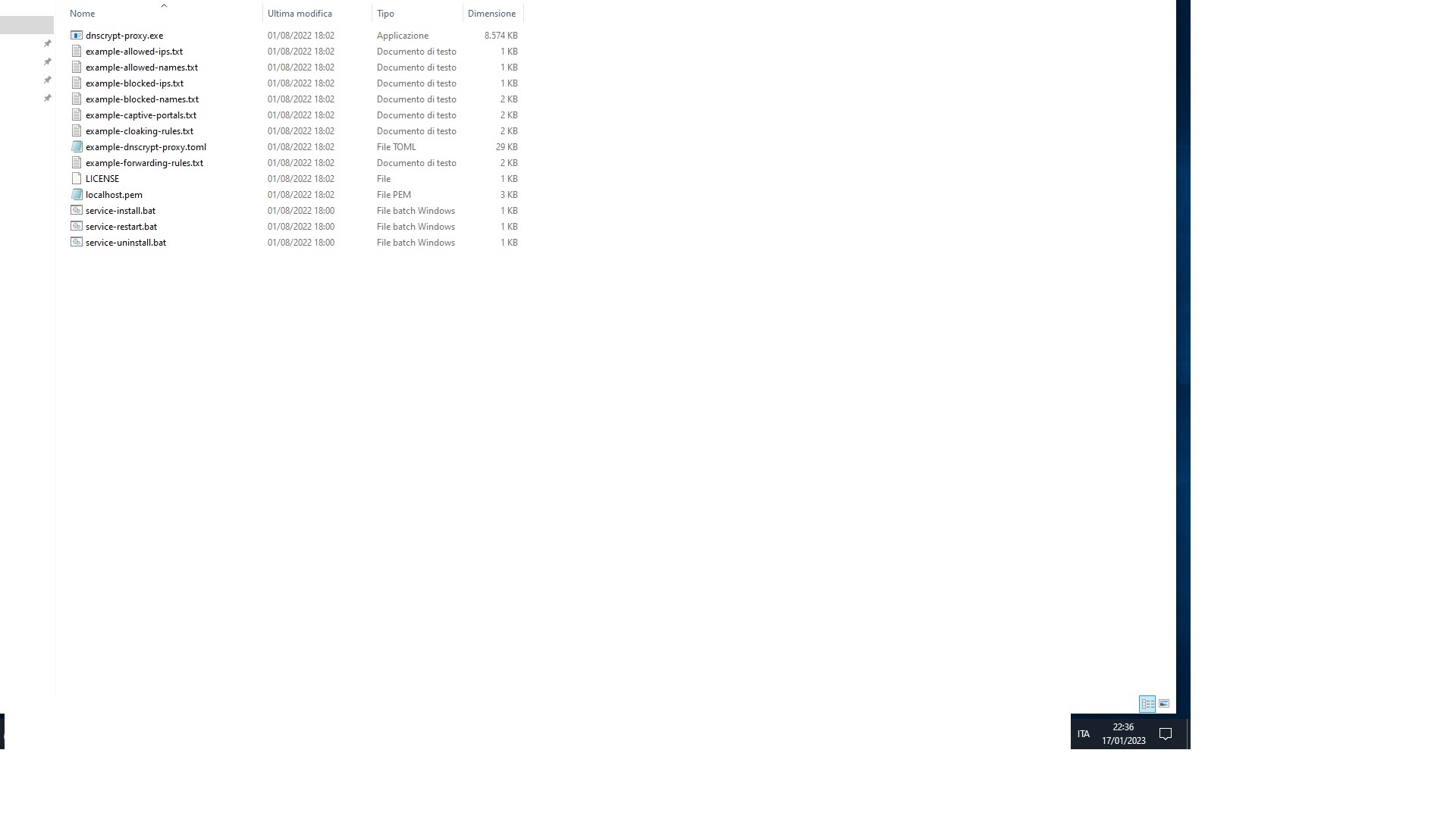
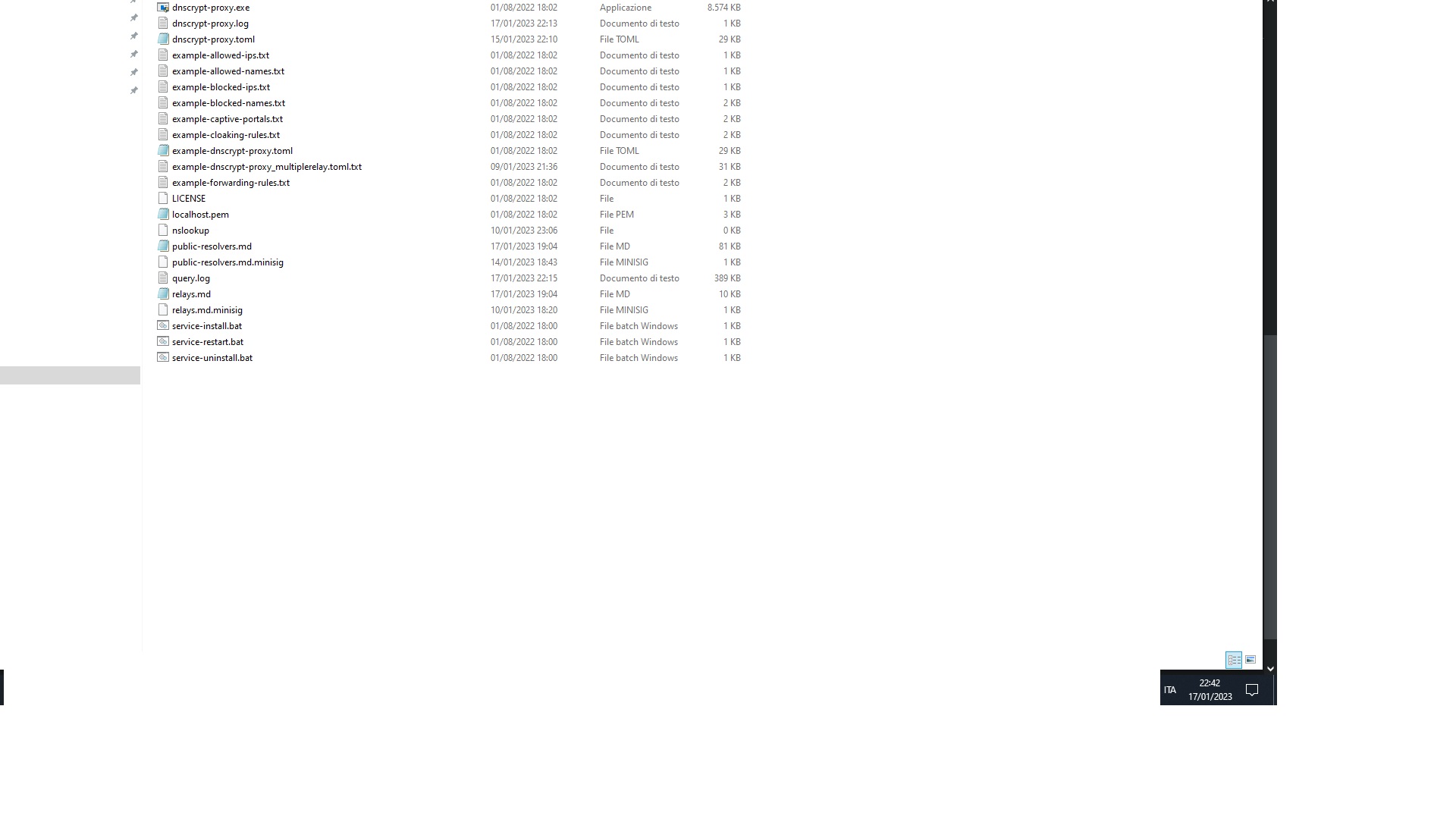

|
I apologize for the confusion, I am not able to see the screenshots. It would be helpful if you can describe what the screenshots show, so I can assist you better. Regarding the files you need to replace, it is enough to replace the old "dnscrypt-proxy.exe" file located at "N:\DESKTOP\PC\Dns\dnscrypt-proxy\dnscrypt-proxy.exe" with the new one you downloaded from the official repository. This file is the main executable file that runs the dnscrypt-proxy service. It's also important to double-check the name of the new files, it would be helpful if you can confirm that the new version you downloaded is indeed 2.1.3, and that the file name is dnscrypt-proxy.exe. Please let me know if you have any other questions or issues. I apologize for any confusion and I will do my best to provide clear and simple instructions. |

here i uploaded the -supposed new 2.1.3- : of course is -supposed- cause the actual is the 2.1.2 and up to now there is not a new 2.1.3 but we are assuming to do a try so i upload a screenshoot of the actual one that is in your repo: so it is identical to the folder i've met when i start using your tool thinking and assuming that the supposed new 2.1.3 should be a same-like folder, and here i uploaded what i've now on my pc , in N:\DESKTOP\PC\Dns\dnscrypt-proxy https://i.postimg.cc/vTq3BN1S/2.jpg please indicate the exacted file/files i've to replace , your point 4) , i still pray you to be simple and clear cheers |
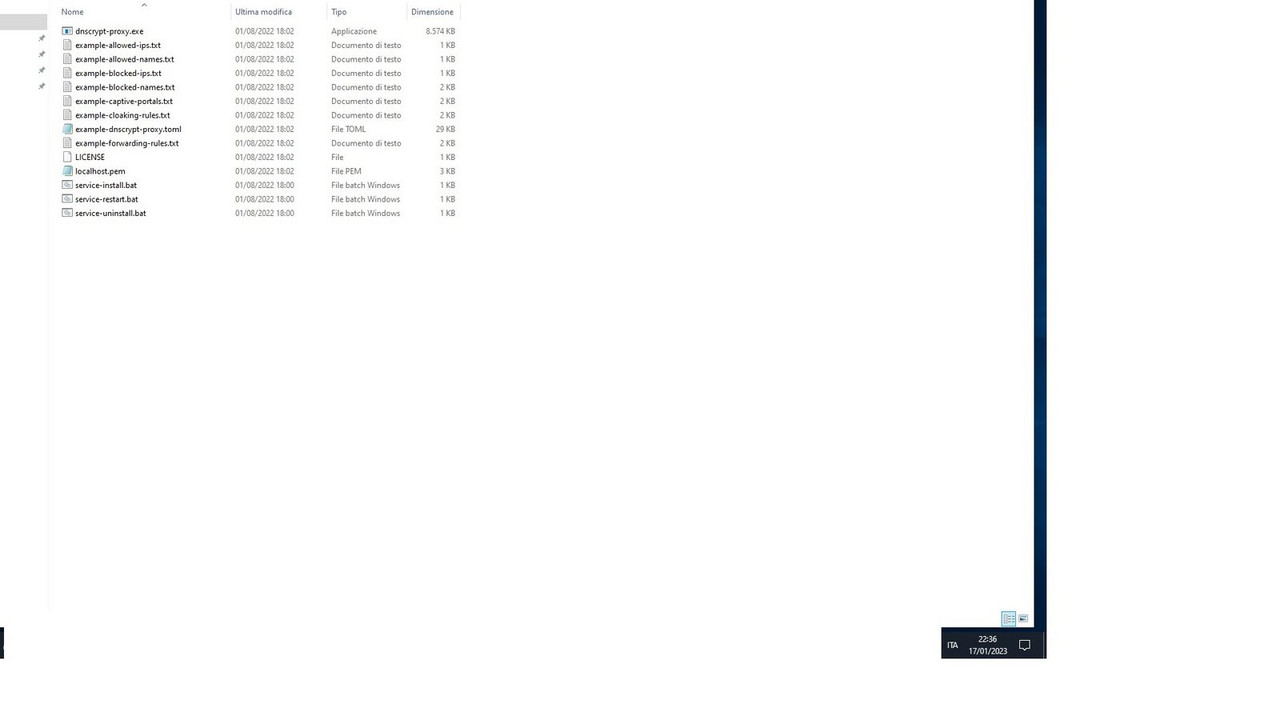
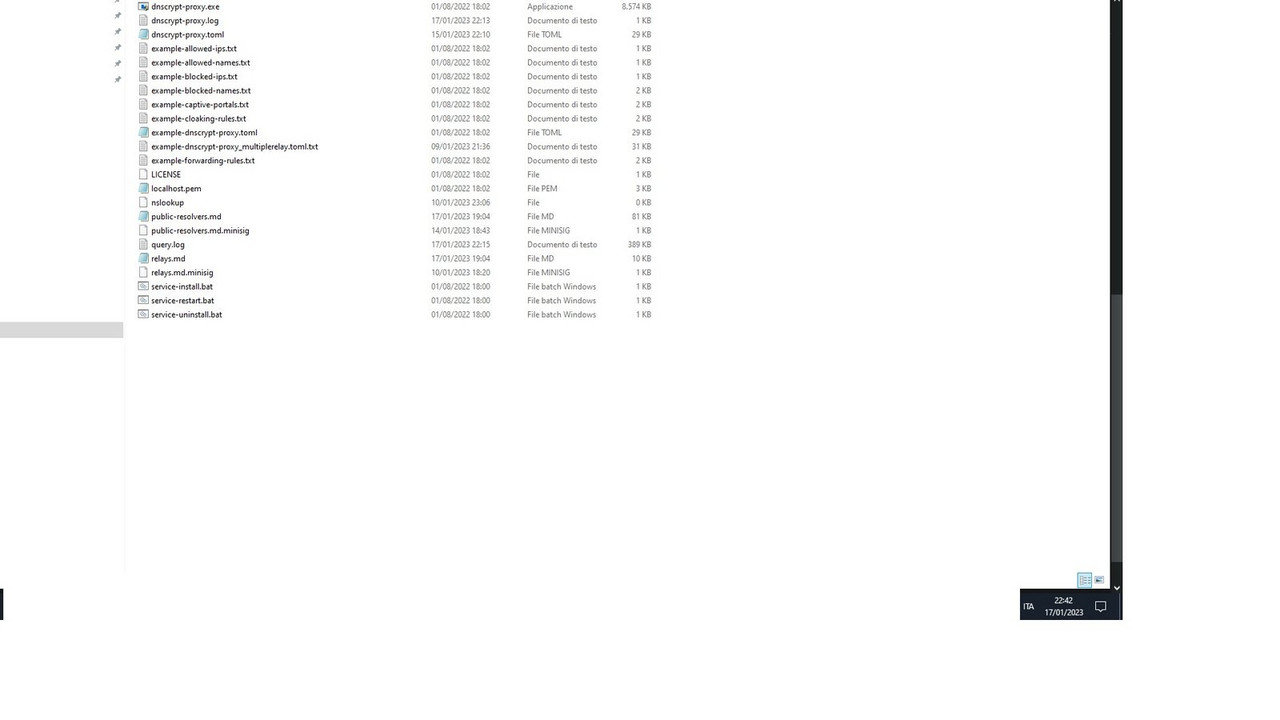
|
I apologize for the confusion, I am not able to see the screenshots you provided, so it would be helpful if you can describe the files in the folders you have. Based on your description, it sounds like you have a folder that contains the supposed new version of dnscrypt-proxy 2.1.3 and another folder that contains the actual version you are currently using, which is 2.1.2. To upgrade to the new version, you will need to replace the old "dnscrypt-proxy.exe" file in the folder that contains your current version (2.1.2) with the "dnscrypt-proxy.exe" file from the folder that contains the supposed new version (2.1.3). It's important to keep in mind that you should also compare the changes in the new version with your current version to check for any updates that need to be made to your configuration files. |
|
here it is what you ask: actual 2.1.2 in N:\DESKTOP\PC\Dns\dnscrypt-proxy (23 files) supposed new version 2.1.3 (14 files) dnscrypt-proxy.exe please indicate the exacted file/files i've to replace , as per your point 4) , i still pray you to be simple and clear cheers |
|
Thank you for providing the file lists. It appears that in the supposed new version 2.1.3 folder, the only file you need to replace is the "dnscrypt-proxy.exe" file. This is the main executable file that runs the dnscrypt-proxy service. You will need to replace the old dnscrypt-proxy.exe file from the actual version 2.1.2 folder located in "N:\DESKTOP\PC\Dns\dnscrypt-proxy" with the new dnscrypt-proxy.exe file from the supposed new version 2.1.3 folder. It's important to double-check the name of the new files and make sure that the new version you downloaded is indeed 2.1.3. |
|
again a clear and precise reply! |
|
You're welcome, I'm glad I could help. I hope you'll have success with whatever you're working on. If you have any more questions or need assistance in the future, don't hesitate to reach out. Have a great week! |
|
thank you! i'd like to know what is this in the logfile: |
|
"Firefox workaround initialized" is a message generated by dnscrypt-proxy indicating that the program has implemented a specific workaround to address a compatibility issue with the Firefox browser. This message is displayed in the logfile when dnscrypt-proxy starts running and is intended to inform the user that the workaround is active. The exact nature of the workaround will depend on the version of dnscrypt-proxy and Firefox that you are using, but it could include changes to how dnscrypt-proxy handles DNS requests or responses, or modifications to the configuration of the proxy to work more seamlessly with Firefox. It's important to note that this message does not indicate an error or problem with the service, but rather that the service has taken action to ensure compatibility with a specific browser. If you have any other questions or concerns about the message, the dnscrypt-proxy documentation or the developers of the software should be able to provide more information. |
|
Dnscrypt-proxy is a program that encrypts and secures DNS requests. It is a useful tool for protecting the privacy and security of users' online activities. However, the Firefox browser has its own feature called DNS-over-HTTPS (DoH) which is enabled by default and it tries to use its own DoH feature instead of using the system's DNS settings. This can cause issues with dnscrypt-proxy's ability to encrypt and secure the DNS requests because the browser is not sending the requests through the dnscrypt-proxy. The Firefox workaround plugin is a specific implementation within the dnscrypt-proxy program that addresses this compatibility issue with the Firefox browser. The plugin is designed to intercept DNS requests for certain domain and sends a synthetic response instead of forwarding it to the actual DNS server. This is done to prevent Firefox from taking over the DNS resolution process, ensuring that all the requests are going through dnscrypt-proxy and are being properly encrypted. The Firefox workaround plugin has several methods such as "Name()", "Description()", "Init()", "Drop()", "Reload()" and "Eval()". The "Init()" method is called when the program starts, it logs the message "Firefox workaround initialized" to inform the user that the Firefox workaround is active and running. The "Eval()" method is called for each DNS request made by the browser. It checks if the request is for the domain "use-application-dns.net" or any subdomain of it. If the request is for this domain, it sends a synthetic response with the error code "name error" back to the browser instead of forwarding the request to a DNS server. This is to prevent Firefox from taking over the DNS resolution process, ensuring that all the requests are going through dnscrypt-proxy and are being properly encrypted. It's important to note that this message does not indicate an error or problem with the service, but rather that the service has taken action to ensure compatibility with a specific browser. In other words, the message "Firefox workaround initialized" is a sign that the dnscrypt-proxy is working as intended and it has activated the Firefox workaround plugin to secure and encrypt the DNS requests. |
|
To recap, the message "Firefox workaround initialized" is a log message generated by the dnscrypt-proxy program and it indicates that the Firefox workaround plugin has been activated. This message is printed to the log file when the dnscrypt-proxy starts and it is intended to inform the user that the Firefox workaround is active and running. The Firefox workaround is a specific implementation in the dnscrypt-proxy program that addresses a compatibility issue with the Firefox browser. This issue is related to how Firefox handles DNS resolution, specifically, it tries to use its own DNS-over-HTTPS (DoH) feature instead of using the system's DNS settings. This can cause issues with dnscrypt-proxy's ability to encrypt and secure the DNS requests. The Firefox workaround plugin is designed to intercept DNS requests for certain domain and sends a synthetic response instead of forwarding it to the actual DNS server. This is to prevent Firefox from taking over the DNS resolution process, ensuring that all the requests are going through dnscrypt-proxy and are being properly encrypted. It's important to note that this message does not indicate an error or problem with the service, but rather that the service has taken action to ensure compatibility with a specific browser. In summary, the "Firefox workaround initialized" message is a log message generated by the dnscrypt-proxy program indicating that the Firefox workaround plugin has been activated and is running. This plugin addresses a compatibility issue with the Firefox browser by intercepting requests for certain domain and sending a synthetic response instead of forwarding it to the actual DNS server, thus ensuring that all the requests are going through dnscrypt-proxy and are being properly encrypted. |
|
Wonderfull clear and usefull reply! |
|
[ERROR] ChatGPT is at capacity right now |
|
i'd be very interested in this command line you suggest: assuming, as you know, that my old (actual) 2.1.2 is in: |
|
[ERROR] ChatGPT is at capacity right now |
|
i'd be very interested in this command line you suggest: assuming, as you know, that my old (actual) 2.1.2 is in: |
|
To check that the new version of dnscrypt-proxy (2.1.3) can properly load the old configuration files (2.1.2) you will need to run a command in the command prompt with administrator rights. First, navigate to the directory where both versions of dnscrypt-proxy are located: Open the command prompt with administrator rights. Use the "cd" command again to navigate to the folder where dnscrypt-proxy is installed. In this case, it's in "DESKTOP\PC\Dns" folder. Next, run the command to check that the new version can properly load the old configuration files: This command is running the new version of the software (dnscrypt-proxy.exe) and checking if the new version can properly load the configuration file of the old version (dnscrypt-proxy.toml) by using the -config and -check options. The command "." before dnscrypt-proxy.exe and dnscrypt-proxy.toml is used to specify that the files are in the current directory you are in, otherwise it will look for the files in the system path. Once you run this command, it will check if the new version can properly load the old configuration files, and if there are any errors, it will display them in the command prompt. If the configuration files are loaded successfully, you will not see any output or error messages. Keep in mind that this command will only check if the new version can properly load the old configuration files, it does not actually upgrade the software. To upgrade to the new version, you will need to replace the old version with the new version and restart the service. |
|
hi, this is my try following your isntructions: N:\DESKTOP\PC\Dns> .\dnscrypt-proxy.exe -config .\dnscrypt-proxy.toml -check N:\DESKTOP\PC\Dns> i repeat that the path of the dnscrypt-proxy.exe and dnscrypt-proxy.toml is: so maybe the command should be: N:\DESKTOP\PC\Dns\dnscrypt-proxy> .\dnscrypt-proxy.exe -config .\dnscrypt-proxy.toml -check if launching it i get for a millisecond another black prompt window that appears and disappears in a while N:\DESKTOP\PC\Dns\dnscrypt-proxy> .\dnscrypt-proxy.exe -config .\dnscrypt-proxy.toml -check N:\DESKTOP\PC\Dns\dnscrypt-proxy> |
|
I apologize for the mistake in my previous instructions, you are correct that the command should be run from the folder where the dnscrypt-proxy.exe and dnscrypt-proxy.toml files are located. The correct command to run would be: If you are running this command and it's returning the same prompt and you cannot see any error message, that means that the new version of dnscrypt-proxy is able to load the old configuration files successfully. It is also possible that the short appearance of another command prompt window and it's disappearing quickly is normal behavior for dnscrypt-proxy, as it runs in the background as a service. Also, you can try to run the command as It should work as well, The "." before the executable and configuration files are optional. Please let me know if you have any further questions or concerns. |
|
hi, thanks for reply N:\DESKTOP\PC\Dns\dnscrypt-proxy>dnscrypt-proxy.exe -config dnscrypt-proxy.toml -check N:\DESKTOP\PC\Dns\dnscrypt-proxy> before running this command line i've also stopped the service in services.msc in order to see if the |
|
The "dnscrypt-proxy.exe -config .\dnscrypt-proxy.toml -check" command returns immediately to the Windows command-line prompt because the "-check" option is used to check if the new version of dnscrypt-proxy can properly load the configuration file of the old version. This option is used to validate the configuration file and make sure that it is in the correct format and that it contains valid values. If the configuration file is in the correct format and contains valid values, the command will return immediately to the prompt without displaying any errors or messages. If there are any errors or issues with the configuration file, the command will display them in the command prompt. The "-config" option is used to specify the location of the configuration file that dnscrypt-proxy should use. In this case, the command is looking for the configuration file named "dnscrypt-proxy.toml" in the current directory ("."). This option tells dnscrypt-proxy which configuration file it should use, and if it can't find the file, it will return an error. When the command is executed, dnscrypt-proxy performs several checks on the configuration file to ensure that it is in the correct format and that it contains valid values. For example, it will check if the file exists, if the file can be read, if the file is in the correct format, if all the required options are present and if they have valid values. If any of these checks fail, the command will return an error and it will not be possible to continue with the execution of dnscrypt-proxy. Once dnscrypt-proxy has finished checking the configuration file, it will return immediately to the command prompt, indicating that the configuration file is valid and that the new version of dnscrypt-proxy can properly load it. It's important to note that this command is used to check the compatibility of the new version with the old configuration file and it does not perform any changes to the files or system. It's only a validation step. Keep in mind that the log messages may be redirected to a file, so you may not see any message on the screen, but the messages are still stored in the log file. I hope this information helps, let me know if you have any further questions or concerns. |
you wrote: wait for yr kind reply |
|
perfect! |
|
you wrote: waiting for yr kind reply i thxs you in advance |
|
Hi there, The output of the dnscrypt-proxy.exe -config dnscrypt-proxy.toml -check command will not be displayed on the screen if the log messages have been redirected to a file. In that case, you can check the log file to see the result of the command. Hope this helps! Let me know if you have any other questions. Best regards, |
|
pls do not use ChatGPT and read carefully in order not to waste our time...: |
|
To trace the output of the "dnscrypt-proxy.exe -config dnscrypt-proxy.toml -check" command in the "dnscrypt-proxy.log" file, you could add the following line to the dnscrypt-proxy.toml file: This will direct the output of the command to the specified log file. |
|
but i've already that line in the .toml configuration file...: maybe you still do not have understood...: |
|
I apologize for not understanding your issue clearly in the previous answer. If you have the line "log_file = "N:\DESKTOP\PC\Dns\dnscrypt-proxy\dnscrypt-proxy.log" in the dnscrypt-proxy.toml configuration file, but you're still not seeing the output of the command "dnscrypt-proxy.exe -config dnscrypt-proxy.toml -check" in the dnscrypt-proxy.log file, here are some steps you can try: Make sure that the log file is not being truncated or overwritten each time the dnscrypt-proxy service is restarted. This will make the log file more verbose, and might give you more information about what's causing the issue. |
|
every time i restart the service the log file starts again and became -new- with new results without the past ones that were in before i've stopped the service iun the log file there are really no errors at all adding the line you suggest: i re-pray when you suggest a modification to the .toml file to be very precise and clear |
|
I apologize for the previous suggestions not being clear and precise. Here's a step-by-step guide on how to modify the dnscrypt-proxy.toml file to increase verbosity and trace the output of the command "dnscrypt-proxy.exe -config dnscrypt-proxy.toml -check" in the dnscrypt-proxy.log file: Open the dnscrypt-proxy.toml file with a text editor. Save and close the file. |
|
this is what you suggest: is it right? |
|
I apologize for the confusion. That configuration is not correct. To increase the verbosity level of the log file, you should use the log_level configuration setting, not verbosity. Here's the correct configuration for the "log level" section: This should increase the verbosity of the log file and help you see the results of the dnscrypt-proxy.exe -config dnscrypt-proxy.toml -check command. I hope this helps, and I apologize for any inconvenience caused. |
|
this is what you suggest: if so the service now starts BUT i've the same log file -without- the result of the command line upgrading: so i re-pray you again and again: |
|
My apologies for the confusion, I may have misunderstood your issue previously. To make sure the result of the command dnscrypt-proxy.exe -config dnscrypt-proxy.toml -check is logged in the dnscrypt-proxy.log file, you need to run the command with the following options: This will redirect the output of the command to the dnscrypt-proxy.log file. Let me know if this solves your issue. |
|
again another mistake by you: `N:\DESKTOP\PC\Dns\dnscrypt-proxy>dnscrypt-proxy.exe -config dnscrypt-proxy.toml -check > dnscrypt-proxy.log N:\DESKTOP\PC\Dns\dnscrypt-proxy>dnscrypt-proxy.exe -config dnscrypt-proxy.toml -check | tee dnscrypt-proxy.log to sum up the first command is right: but this: N:\DESKTOP\PC\Dns\dnscrypt-proxy>dnscrypt-proxy.exe -config dnscrypt-proxy.toml -check | tee dnscrypt-proxy.log so i re-re pray you again and again: be -precise- |
|
I apologize for the errors in my previous responses. Regarding your issue, to log the output of the command dnscrypt-proxy.exe -config dnscrypt-proxy.toml -check to a file, you can use the following command: This command redirects the standard output to a file named dnscrypt-proxy.log. |
|
just done: |
|
This is enough. |


Uh oh!
There was an error while loading. Please reload this page.
Uh oh!
There was an error while loading. Please reload this page.
#2284 (comment)
asking for simple and clear- instructions about - Upgrading - :
now i'm using the last 2.1.2 but in the next future when or if you will release a new one, for ex.: 2.1.3
what shall i have to do?
https://github.com/DNSCrypt/dnscrypt-proxy/releases/tag/2.1.2
my actual file is:
https://github.com/DNSCrypt/dnscrypt-proxy/releases/download/2.1.2/dnscrypt-proxy-win64-2.1.2.zip
consider that these are my paths:
N:\DESKTOP\PC\Dns\dnscrypt-proxy
N:\DESKTOP\PC\Dns\dnscrypt-proxy\dnscrypt-proxy.exe
N:\DESKTOP\PC\Dns\dnscrypt-proxy\dnscrypt-proxy.log
windows 10 home 64
waiting for a your reply i thank you in advance
cheers
All reactions